To confirm a meeting by email, reply or write with the date, time and time zone, the length, the join link or address and one line on what the meeting is for. Send it right after booking, send a reminder the day before, and offer an easy way to reschedule.
A good meeting confirmation email is short and complete. It saves the other person from checking three places for the time, and it gives you a record if anyone misremembers.
This guide gives you what to include, when to send reminders and 8 templates with real example names, so you can copy them and change the details.
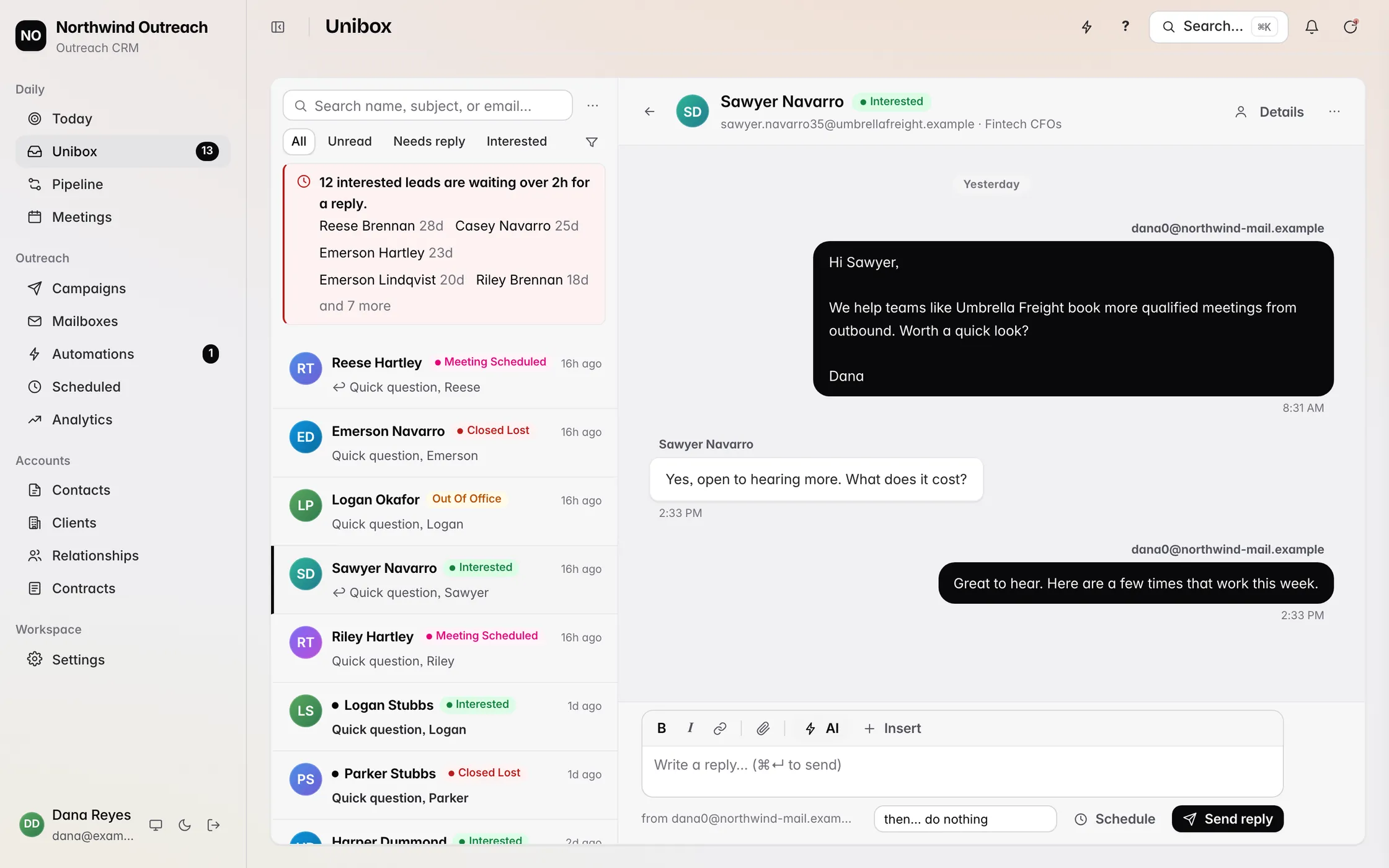
Revbound drafts each answer with free times from your calendar and books the meeting when the lead accepts a time.
Try it free for 3 days3 days free, every featureMeeting confirmation email: the short answer
A meeting confirmation email states the date, time with time zone, length, format and a join link or address, and asks for a reply only if something is wrong. Send it as soon as the meeting is booked, then send a short reminder the day before.
The table below shows which of the 8 templates to use and when.
| Template | When to send | What it must contain |
|---|---|---|
| 1. General confirmation | Right after booking | Date, time zone, length, link or address |
| 2. Sales call confirmation | Right after booking | What the call covers and who joins |
| 3. Demo confirmation | Right after booking | Agenda and what to prepare |
| 4. Day-before reminder | The day before | Time again, link again, easy way to reschedule |
| 5. Same-day reminder | A few hours before | One line and the join link |
| 6. Reschedule | As soon as a change is needed | Apology, two new options, the old slot released |
| 7. Confirming your attendance | When someone invites you | Yes, the time as you understand it, any needs |
| 8. Asking for confirmation | When a booking is unconfirmed | One question and a deadline |
What to include in a meeting confirmation email
Every confirmation answers the same questions before the other person has to ask them. If any of these is missing, expect a reply thread you did not need.
- The date and the day of the week, so a typo is easy to spot
- The start time with the time zone written out, such as 2:00 PM IST
- How long the meeting lasts
- The format: video link, phone number or street address
- Who is joining from your side and their role
- One line on what the meeting is for
- How to reschedule if the time stops working
Put the date and time in the subject line. A subject such as Confirmed: Thursday 20 November, 2:00 PM IST gets read, and it is easy to find again later.
Sales call confirmation email
A sales call is the confirmation where the other person knows you least. Keep it short, say what the call is for, and give them an easy way out so they never need to ghost you.
1. General meeting confirmation
Subject: Confirmed: Thursday 20 November, 2:00 PM IST
Hi Priya,
This confirms our meeting on Thursday 20 November at 2:00 PM IST (9:30 AM GMT). It runs 30 minutes on Google Meet: meet.example.com/priya-daniel
If the time stops working, reply here and I will send two new options.
Daniel
2. Sales call confirmation
Subject: Confirmed: our call on Friday 21 November, 11:00 AM EST
Hi Maya,
Looking forward to talking on Friday 21 November at 11:00 AM EST. It is a 20 minute call and the link is below.
You mentioned that replies from your cold email campaigns are slow to get answered. I will ask a few questions about how that works today, then show what could change. Marcus from our team will join for the second half.
Call link: call.example.com/maya-northwind
If something comes up, reply here and we will move it. No hard feelings.
Daniel
Demo confirmation email
A demo works better when the guest knows what they will see and who should be on the call. Ask for the one thing you need to tailor it, and keep the ask to a single question.
3. Demo confirmation
Subject: Your demo is booked: Monday 24 November, 3:00 PM GMT
Hi Tom,
Your demo is booked for Monday 24 November at 3:00 PM GMT. It is 30 minutes on Zoom: zoom.example.com/demo-tom
Here is what we will cover: how your team handles inbound requests today, a walk through the product with your examples, and next steps if it fits.
One question so I can tailor it: which tool do you use for this now? Reply with a line and I will have it ready.
If a colleague should join, send me their email and I will add them to the invite.
Sara
Reminder timing: when to send each email
Send the confirmation straight after booking, a reminder the day before, and a short note a few hours before the meeting. The first one is for the record, the second is for planning, and the third is for the join link.
For meetings booked weeks ahead, add one more reminder about a week before. For meetings booked the same day, the confirmation does the work of the reminder.
4. Day-before reminder
Subject: Reminder: tomorrow at 2:00 PM IST
Hi Priya,
A quick reminder that we meet tomorrow, Thursday 20 November, at 2:00 PM IST on Google Meet: meet.example.com/priya-daniel
If you need to change the time, reply here and I will send options.
Daniel
5. Same-day reminder
Subject: Starting at 2:00 PM IST today
Hi Priya, our call starts at 2:00 PM IST today. The link is here: meet.example.com/priya-daniel
Daniel
Reschedule template
When you have to move a meeting, move it once and make it easy. Offer two specific times and say plainly that the old slot is released, so nobody is left guessing which time still stands.
6. Reschedule email
Subject: Need to move our call on Thursday
Hi Priya,
I am sorry, I have to move our call on Thursday 20 November at 2:00 PM IST. That slot is now free on your side.
Would either of these work instead? Friday 21 November at 10:00 AM IST, or Monday 24 November at 2:00 PM IST. Reply with one and I will send a new invite.
Thank you for your patience.
Daniel
Confirming or asking for confirmation
Two questions come up a lot: how to confirm your own attendance when someone invites you, and how to ask someone to confirm. Both should take two lines.
7. Confirming your attendance
Subject: Re: Meeting on Thursday 20 November
Hi Daniel,
Thank you for the invite. I confirm that I will attend on Thursday 20 November at 2:00 PM IST.
I will join from London, so please send the link in advance.
Priya
8. Asking someone to confirm
Subject: Can you confirm Thursday at 2:00 PM IST?
Hi Priya,
You have a slot with me on Thursday 20 November at 2:00 PM IST. Could you reply yes by Wednesday so I can hold it?
If it no longer works, say so and I will release it for someone else.
Daniel
Confirmation checklist
Run through this list before you press send.
- Subject line has the day, date and time
- Time zone is written out
- Join link or address is in the email, not only in the invite
- Length and format are stated
- The guest knows what the meeting is for
- One clear way to reschedule
- Calendar invite sent from the same address
Automate the confirmation and the follow-up
Writing each confirmation by hand works for a few meetings a week. If your meetings come from cold email replies, the slow part is usually the reply that gets the time agreed.
Revbound reads those replies, drafts the answer with free times from your Cal.com or Google Calendar, and books the meeting when the lead accepts a time. If someone no-shows, it sends them an email to rebook. Try Revbound free for 3 days.
To draft the reply that agrees the time, try the email response generator. To compare booking tools, see Cal.com vs Calendly. To cover your own out-of-office, see how to set up a Gmail auto reply.
Revbound drafts the reply with free times and books the call when the lead says yes.
Try it free for 3 daysCommon mistakes in meeting confirmation emails
- Leaving out the time zone. This causes more missed meetings than anything else on the list.
- Hiding the link. A join link only in the calendar invite is easy to miss.
- Writing a long email. A confirmation is a reference, so keep it to a few lines.
- Asking for a reply to confirm. Make confirming the default and replying the exception.
- Sending only one email. A single confirmation weeks ahead is forgotten, so add a reminder.
FAQ
How do I confirm a meeting?
Reply in writing with the date, the time and time zone, the length and the join link or address, and say you look forward to it. If you are the host, send this as soon as the meeting is booked.
How do you write an email to confirm your attendance?
Keep it to two lines: thank them for the invite, repeat the date and time as you understand it, and add anything you need, such as the link in advance. Template 7 above is a ready example.
How do I write an email to ask for confirmation?
Name the booked slot, ask for a simple yes by a set day, and say you will release the slot if you do not hear back. Template 8 above does this in three short lines.
How do I send a confirmation email?
Send it from the same address that sent the calendar invite, right after the meeting is booked. Put the day, date and time in the subject line, and add the join link in the body as well as in the invite.
How do I write a mail for meeting confirmation?
Use a clear subject line, greet the person by name, repeat the date, time zone, length and format, add the link or address, and finish with how to reschedule. Template 1 above is a general version.
When should I send a meeting reminder?
Send one the day before and a short note a few hours before the meeting. For meetings booked weeks ahead, add one more reminder about a week out.